How to change the order of your activities shown in your booking journey
If you would like to change the order in which your activities are shown on the customer booking journey, follow this guide.
Please note that this will also change the order in which your activities will be displayed in the grid too.
- Click MANAGE VENUE
- Click MANAGE TABLES
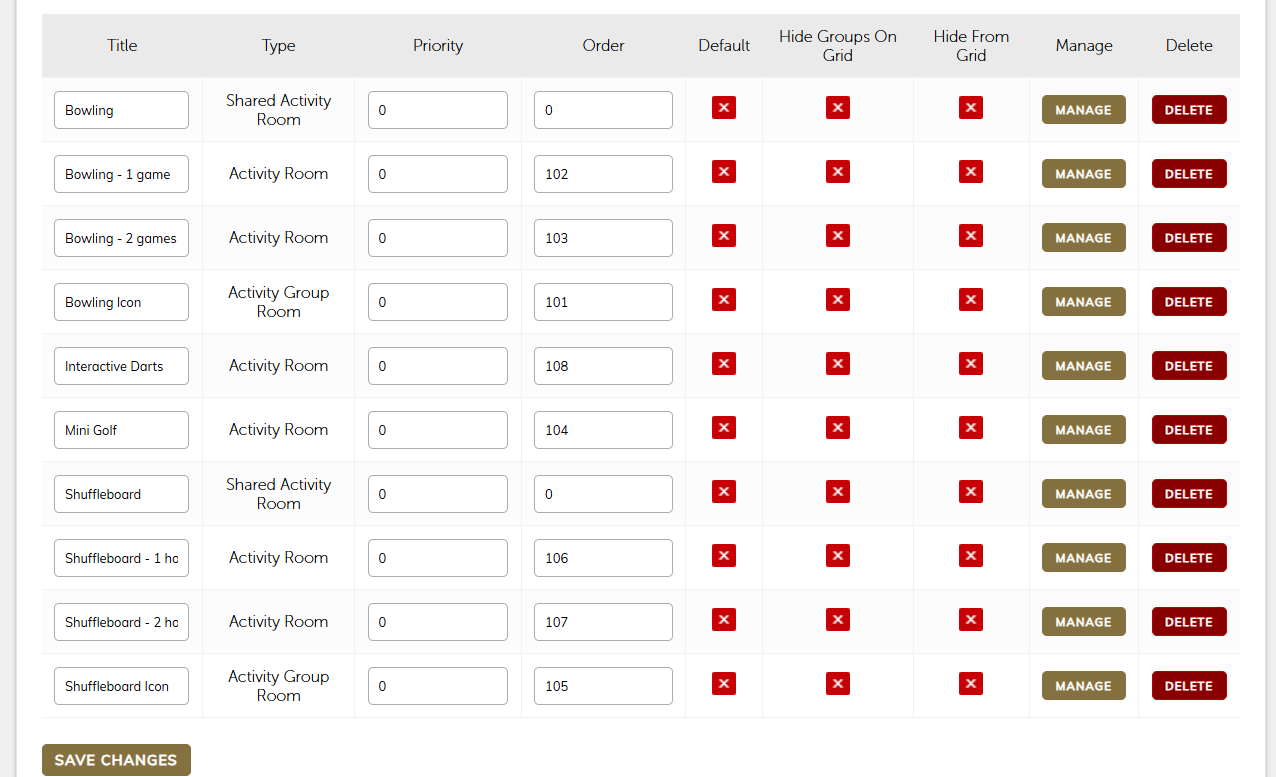
- Here you will see a list of all your activities with an order column:
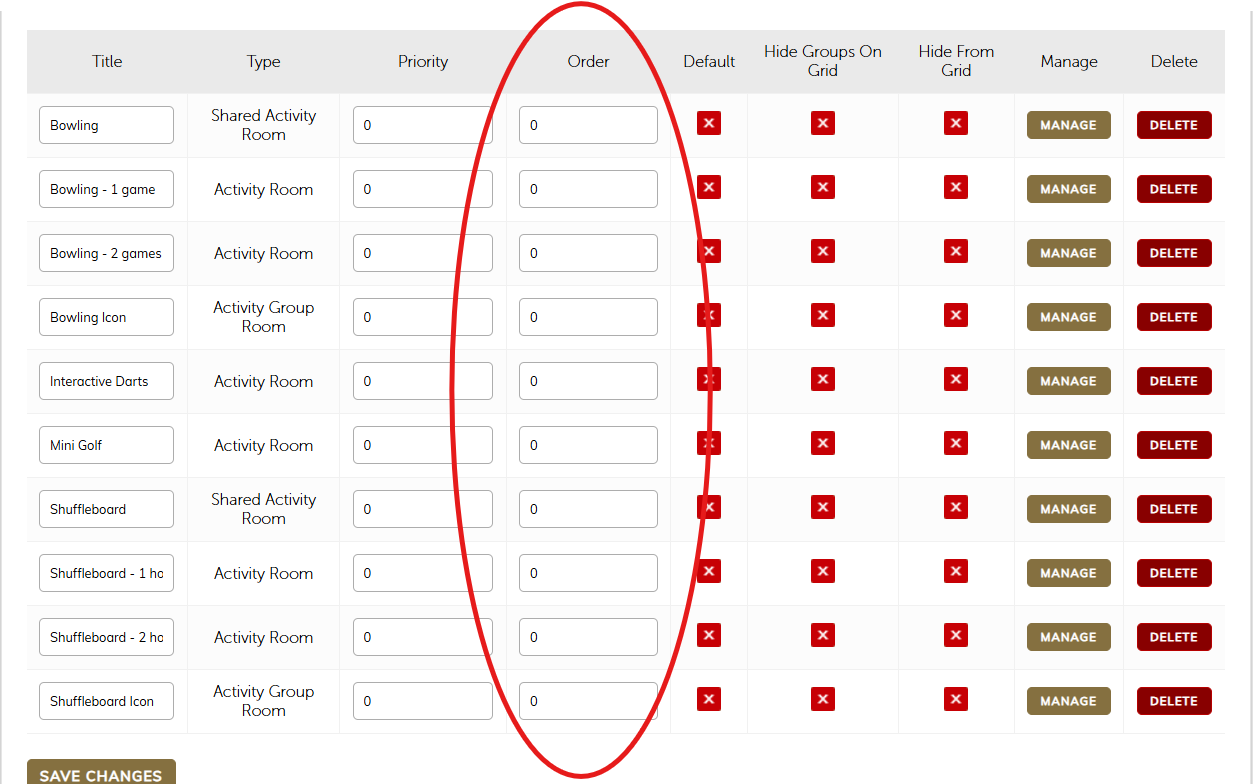
- In the order column, you should indicate which activities you want to show first. Assign numbers starting from 101, followed by 102, 103, and so on. (You only need to do this with activities listed as an activity room or a activity group room. Shared activity rooms, do not display on the booking journey so you can ignore these rooms)
- If you have activity group rooms this means that you have several activities (this might be Shuffleboard 1 hour, Shuffleboard 2 hours) grouped together under an icon in the booking journey. You need to number the activity group room first and then then activity room. Please see example below: