How to set up Azure for CRM Mailbox access
Please see steps below we use for giving access to the mailboxes via azure graph API.
Navigate to the Azure Portal via this link https://portal.azure.com/#home
Log in with the email details you have set up for the CRM
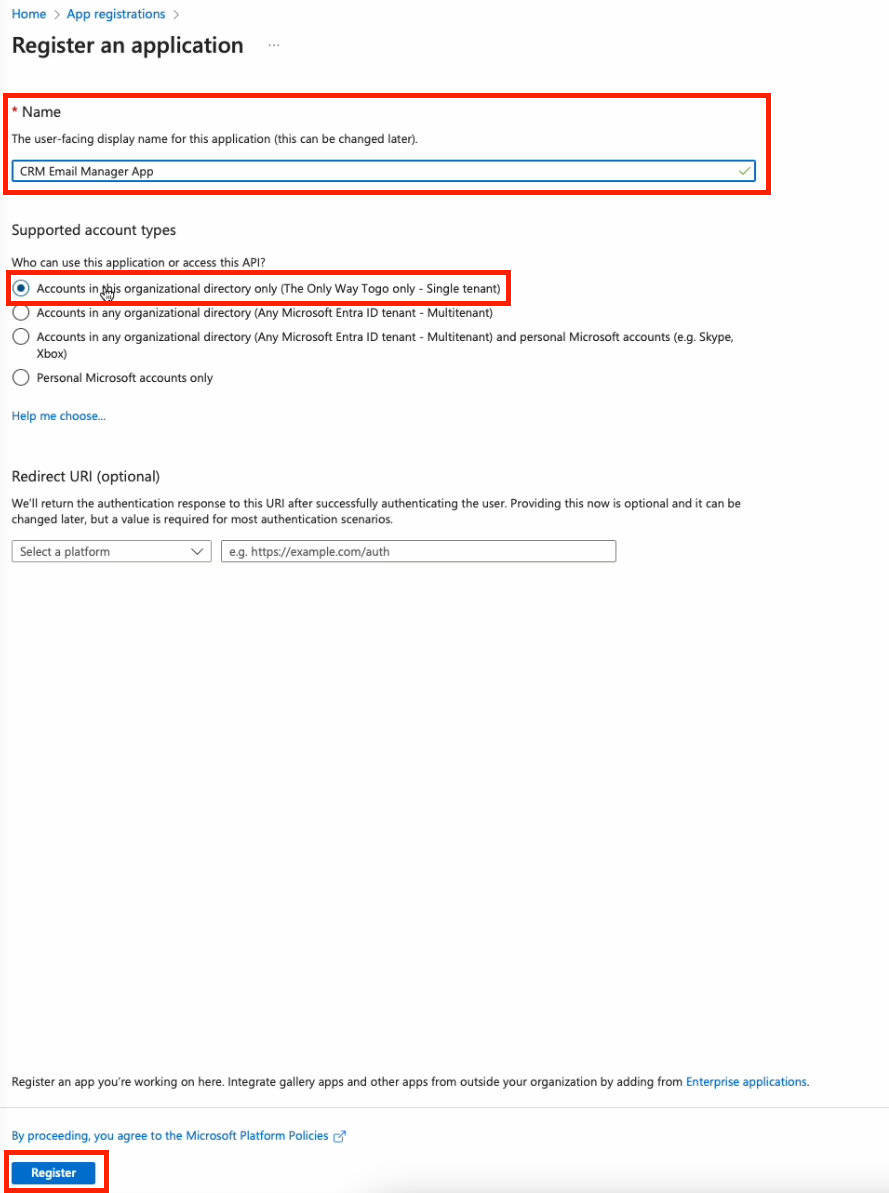
- Need to create an ‘app registration’, you can name as you wish. Create new app. With account type : “Accounts in this organizational directory only (xxxx only – Single tenant)
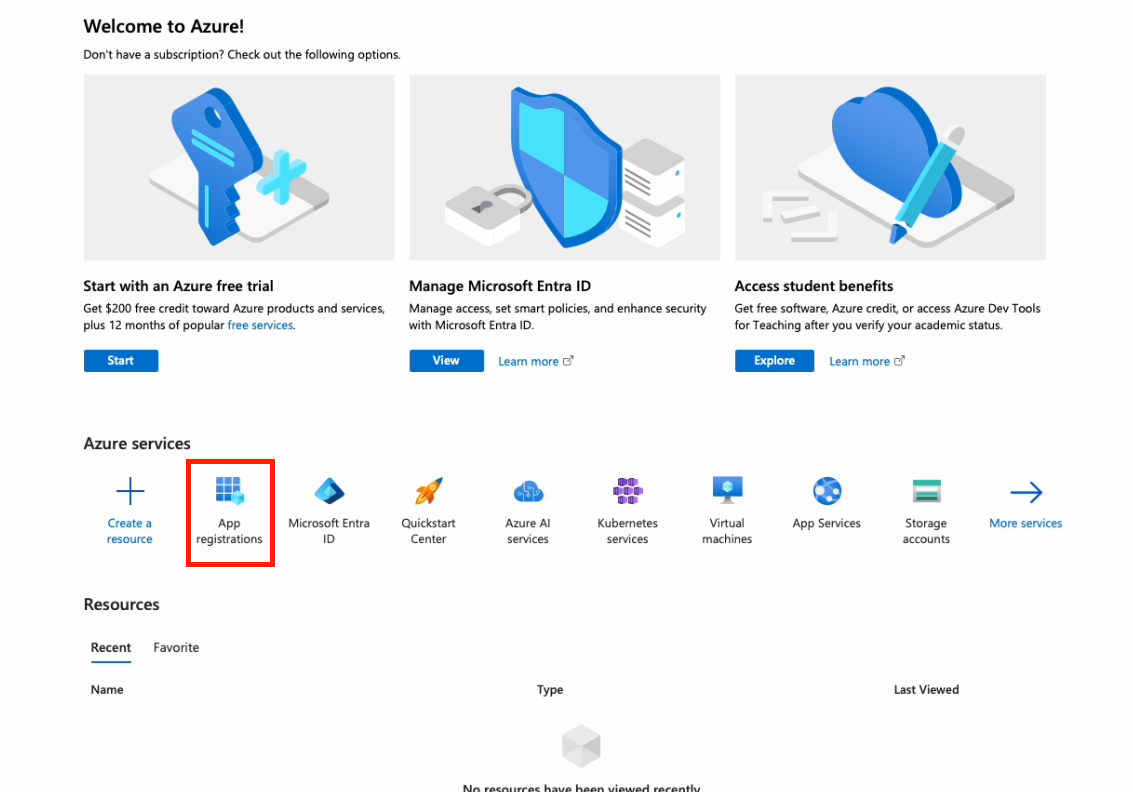
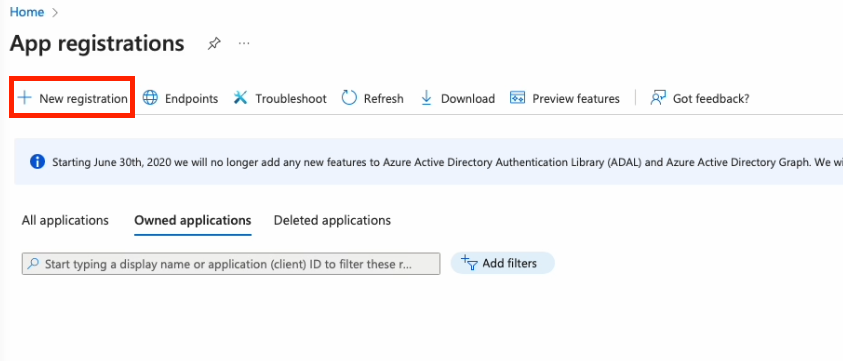
Add new App registration
Create name for API
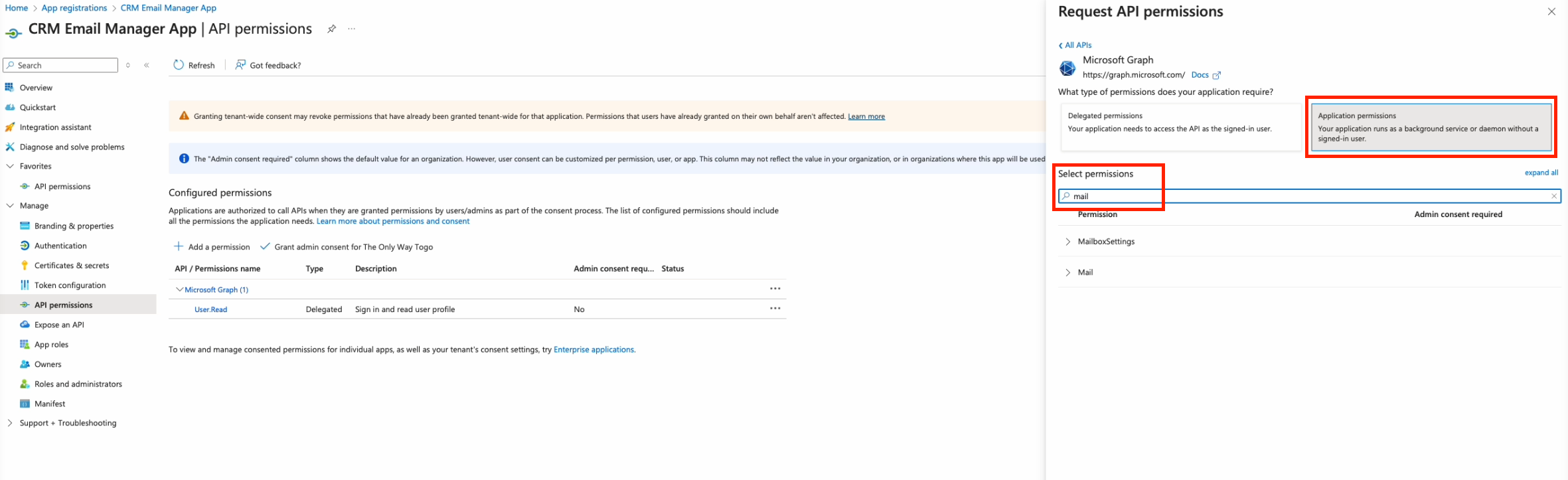
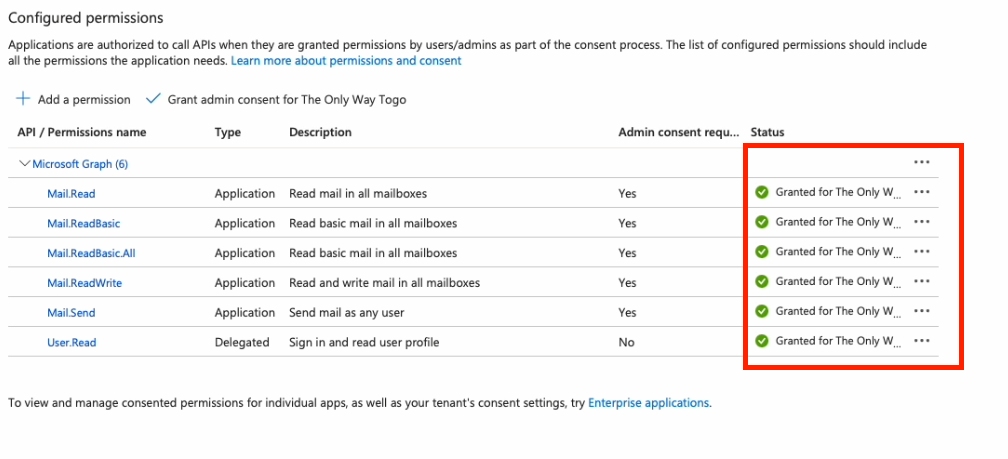
Assign API permissions
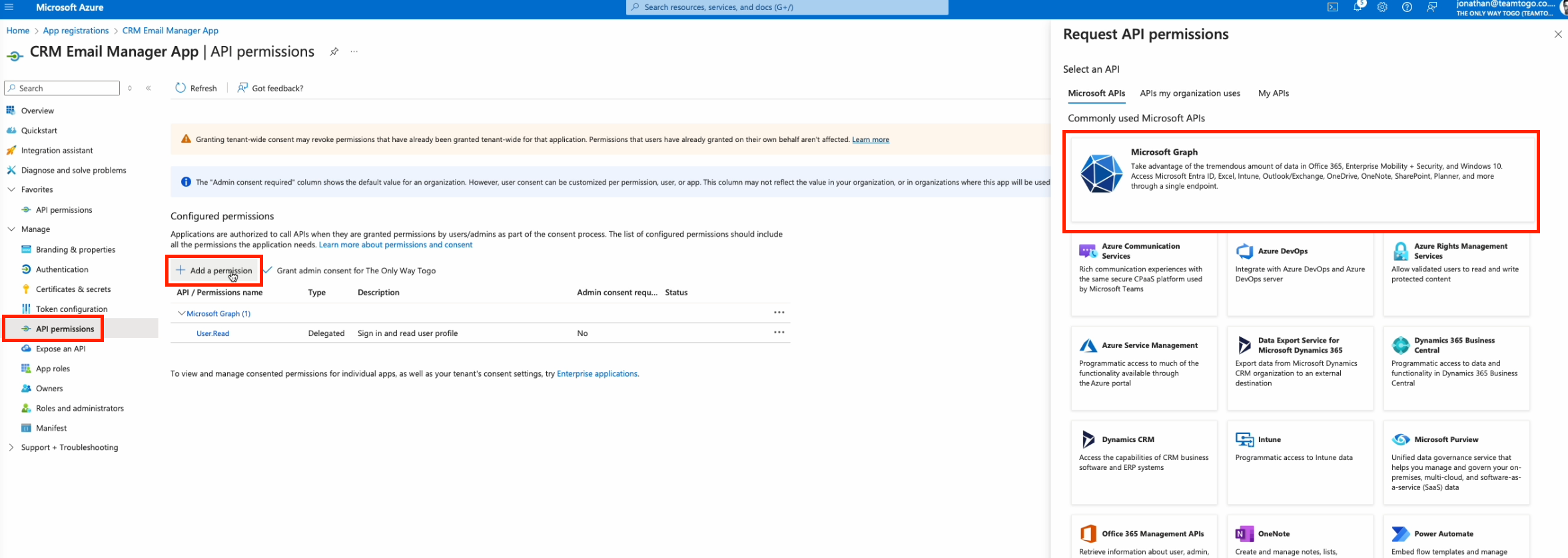
Select API permissions
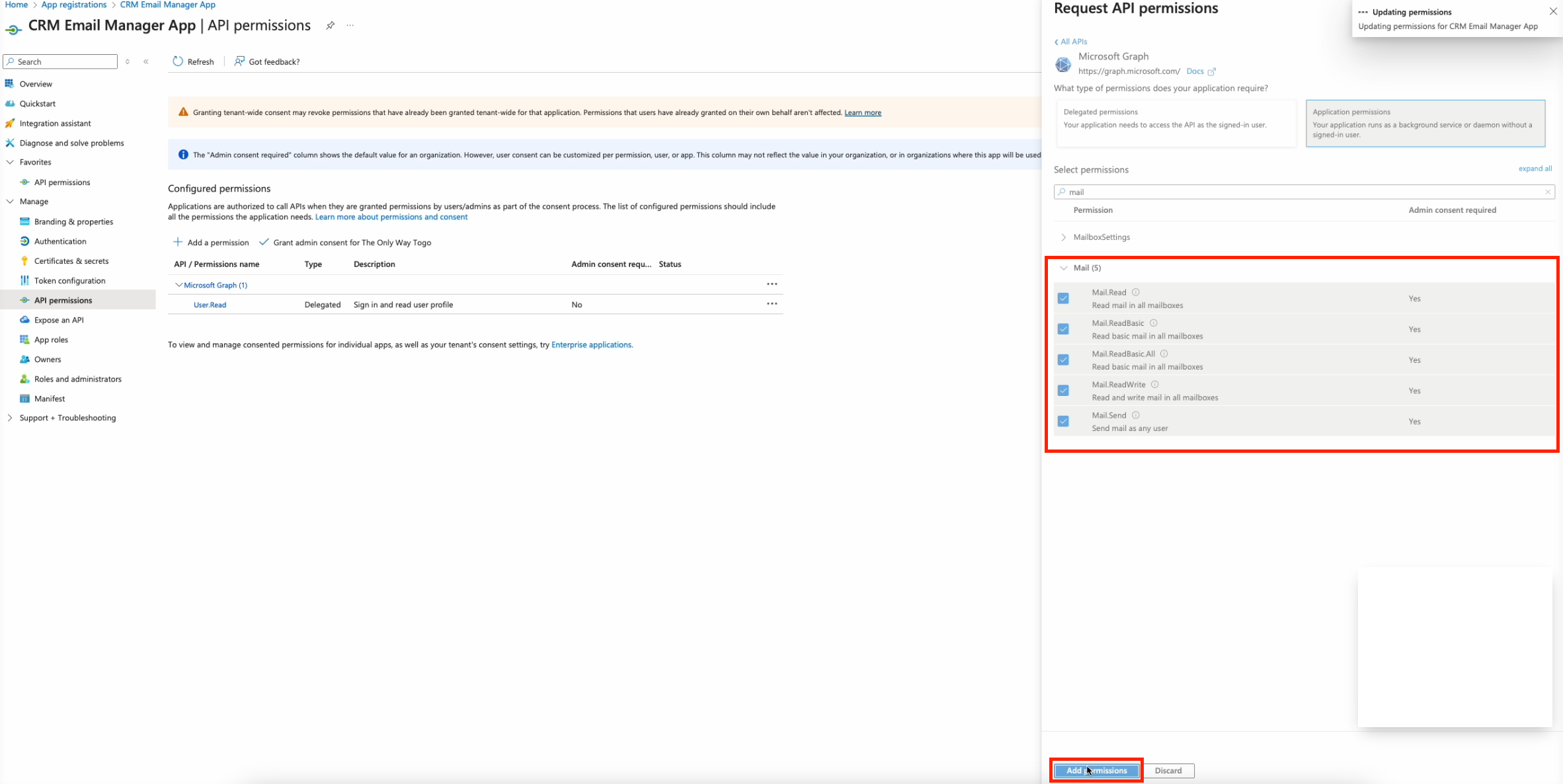
Select ALL 5 Permissions
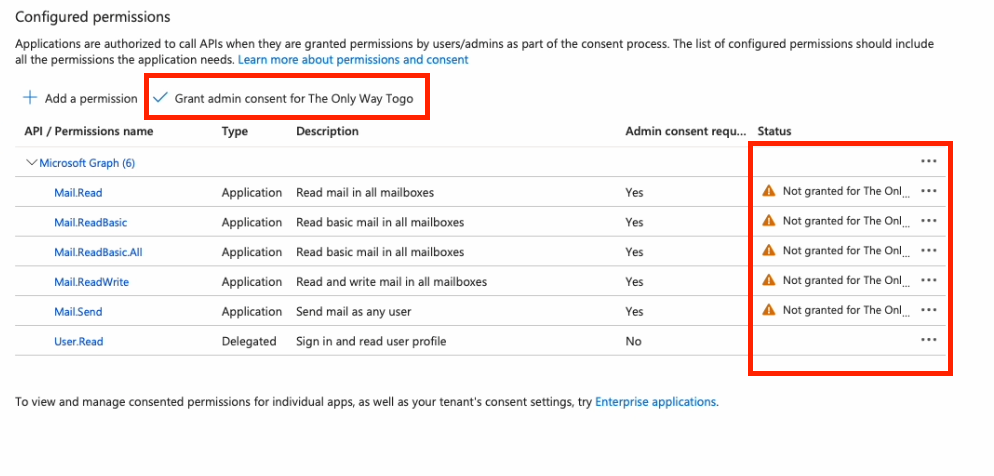
Grant Admin consent
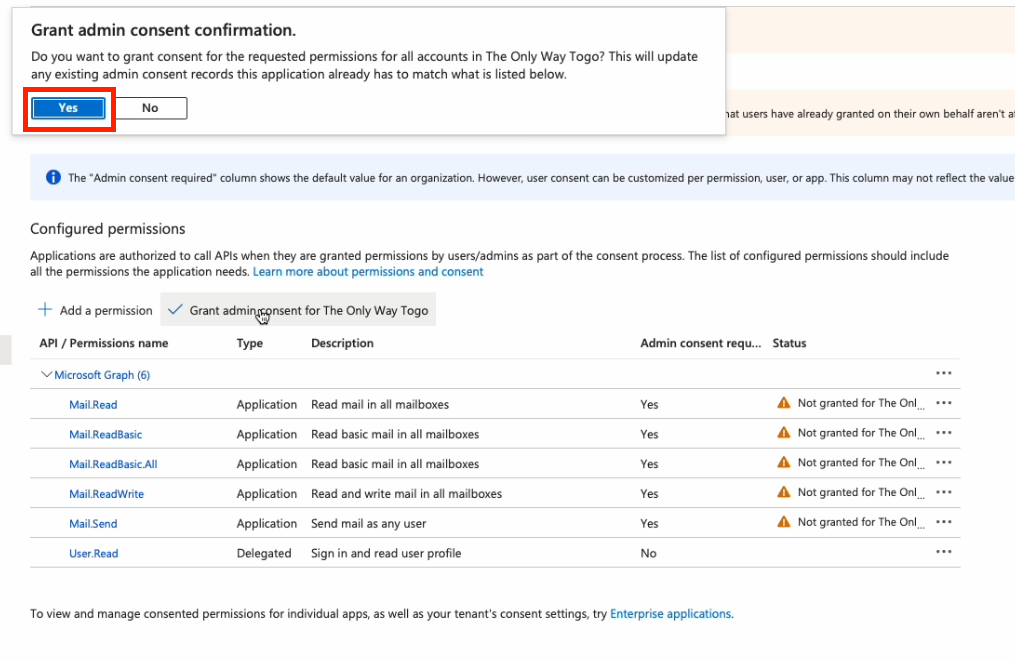
Confirm Grant Admin consent
Check the status’s have gone GREEN
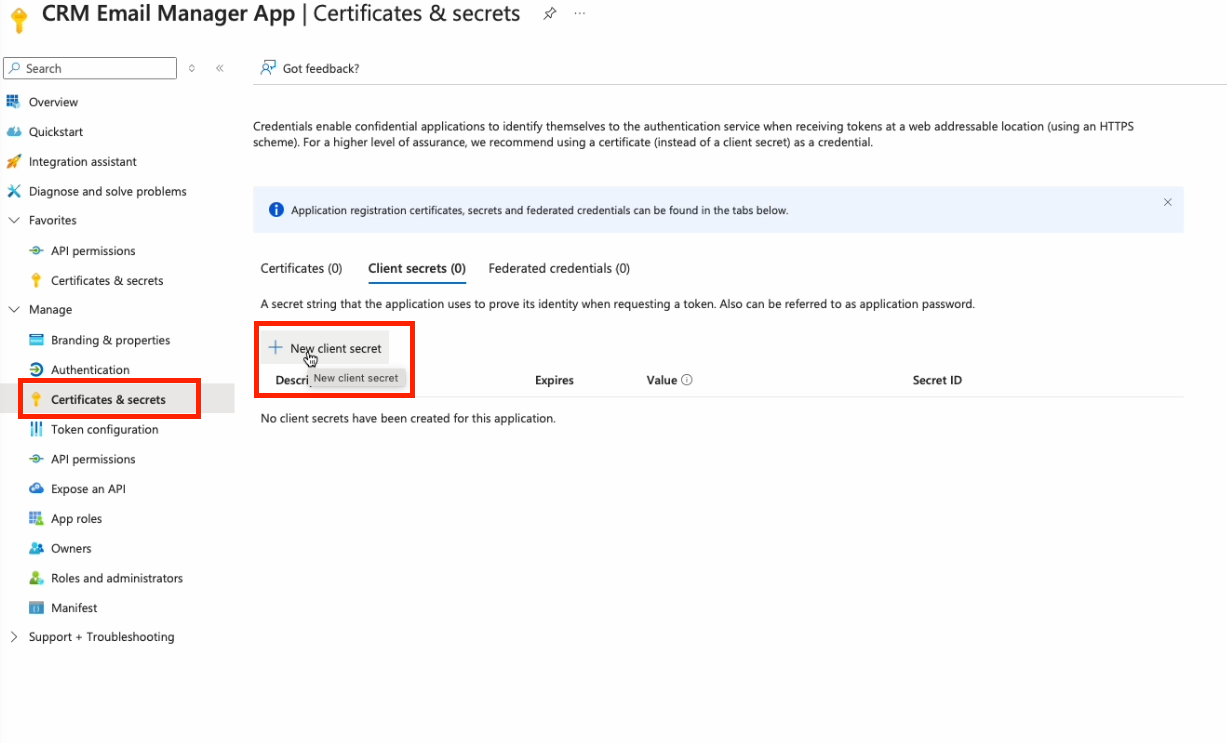
Add new Client Secret
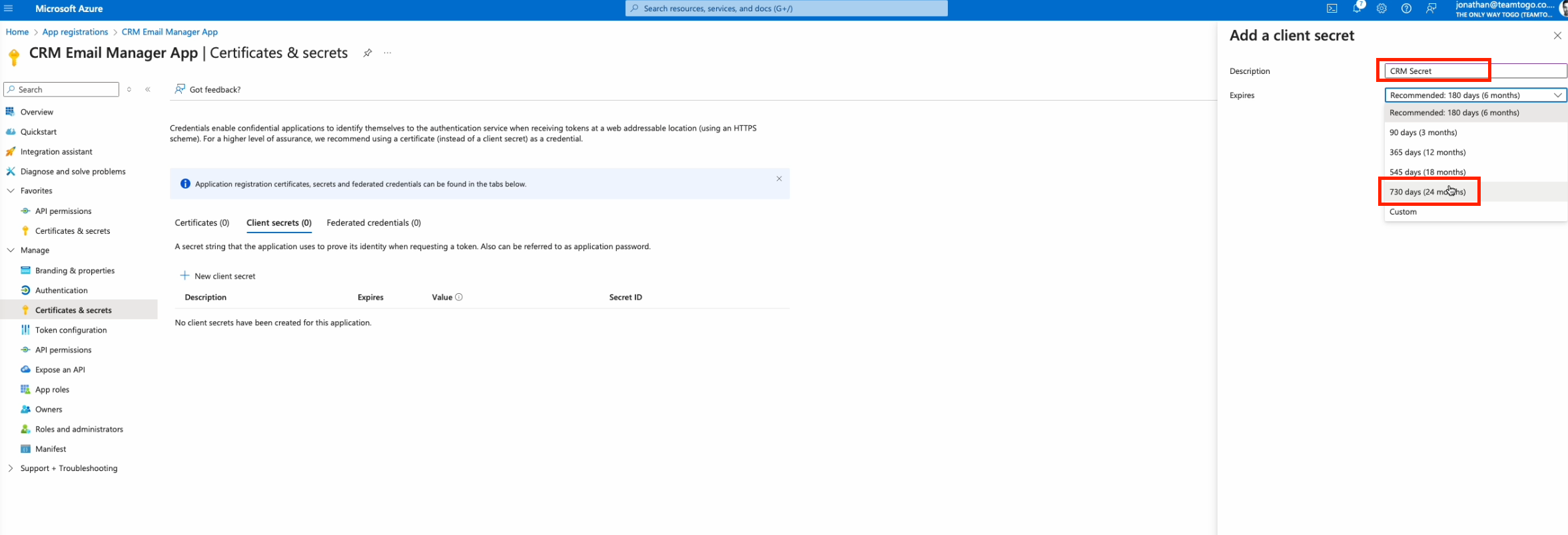
Add Client secret expiry. Please note and set a reminder for the expiry date of the secret as this will need to be renewed.
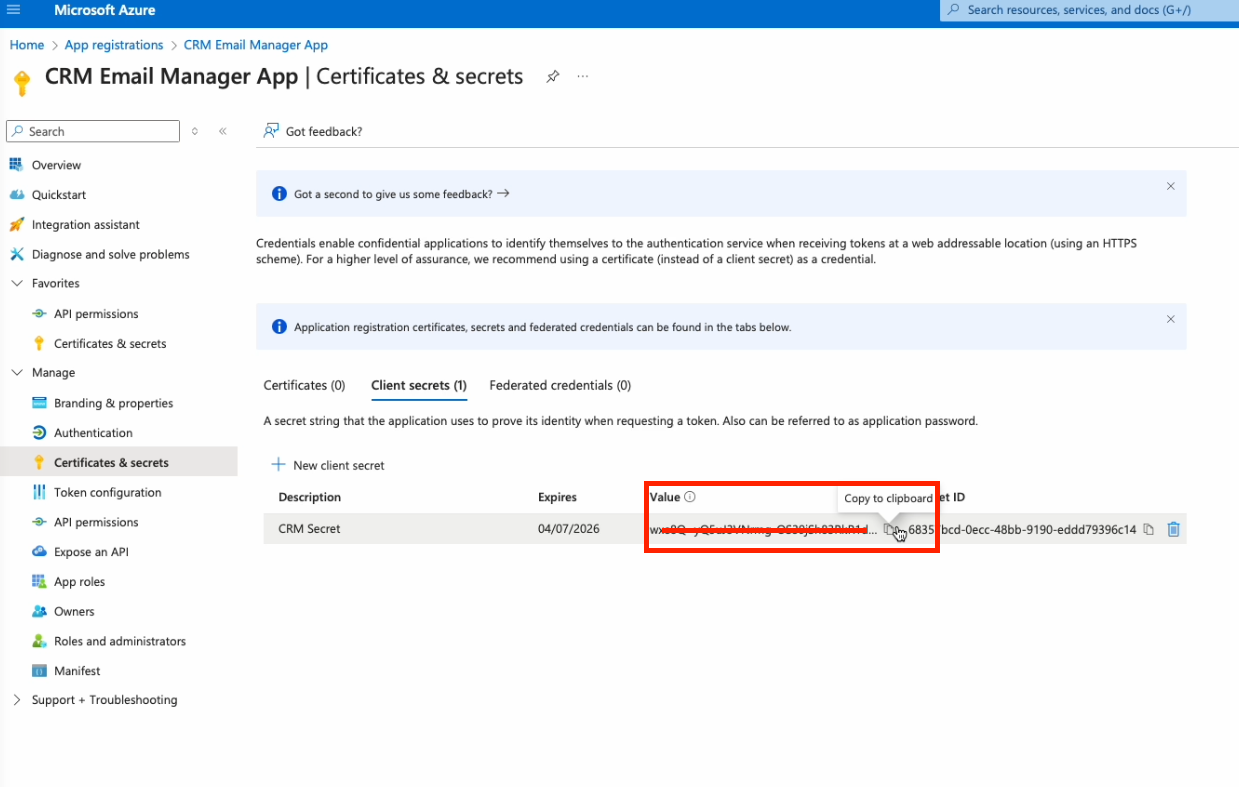
Copy Secret Value and paste into email to Togo
Copy Client ID and paste into email to Togo
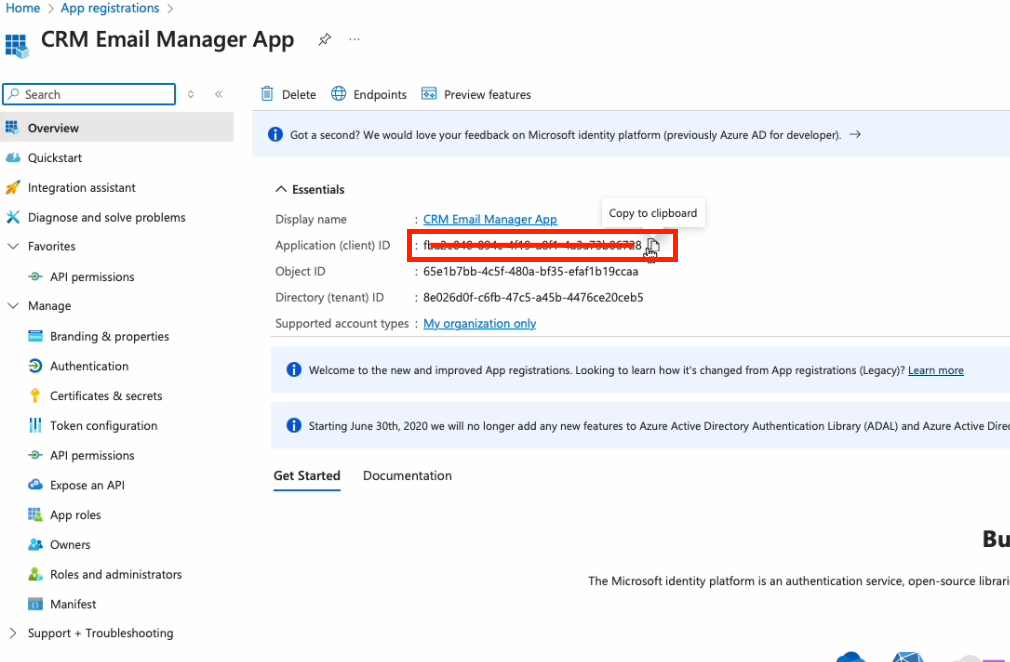
Copy Tenant ID and paste into email to Togo
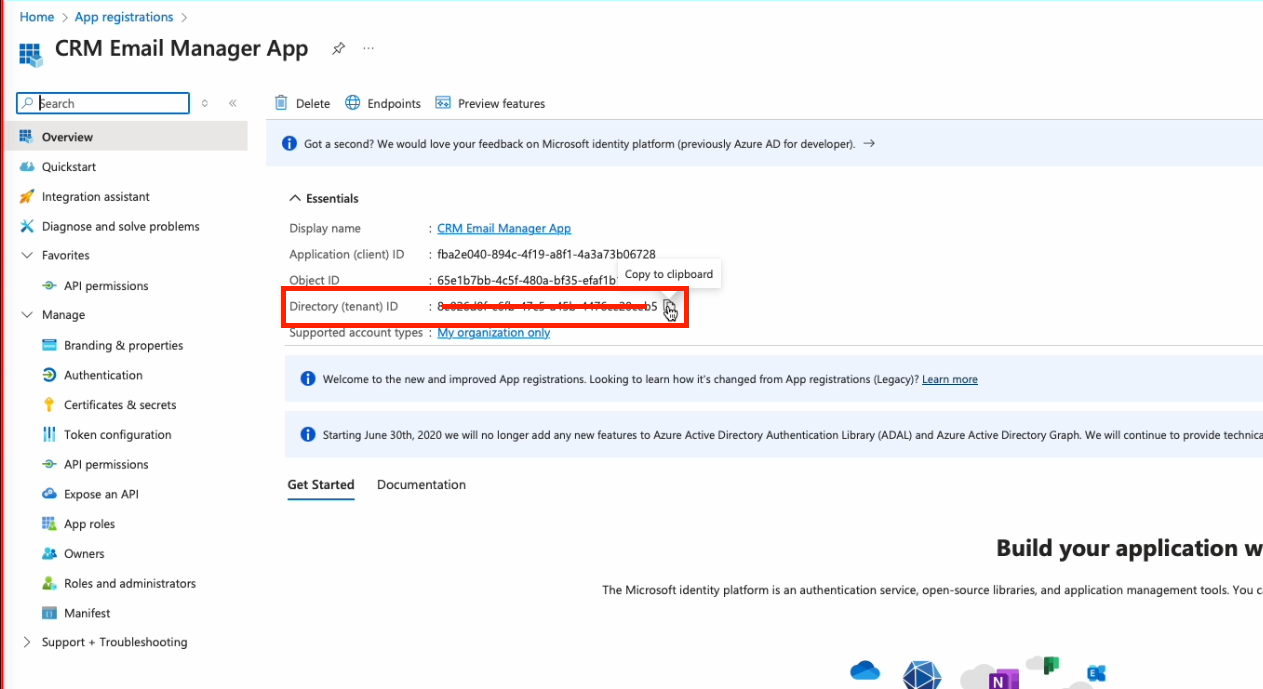
Send Secret Value, Client ID and Tennant ID to Togo.