Creating a one-off voucher
If you would like to create a one off voucher for a prize, for example you can follow these steps.
Create a new voucher in MANAGE VOUCHERS > VOUCHER SETTINGS in the add voucher option give it a title, value and optional description, then click ADD OPTION.
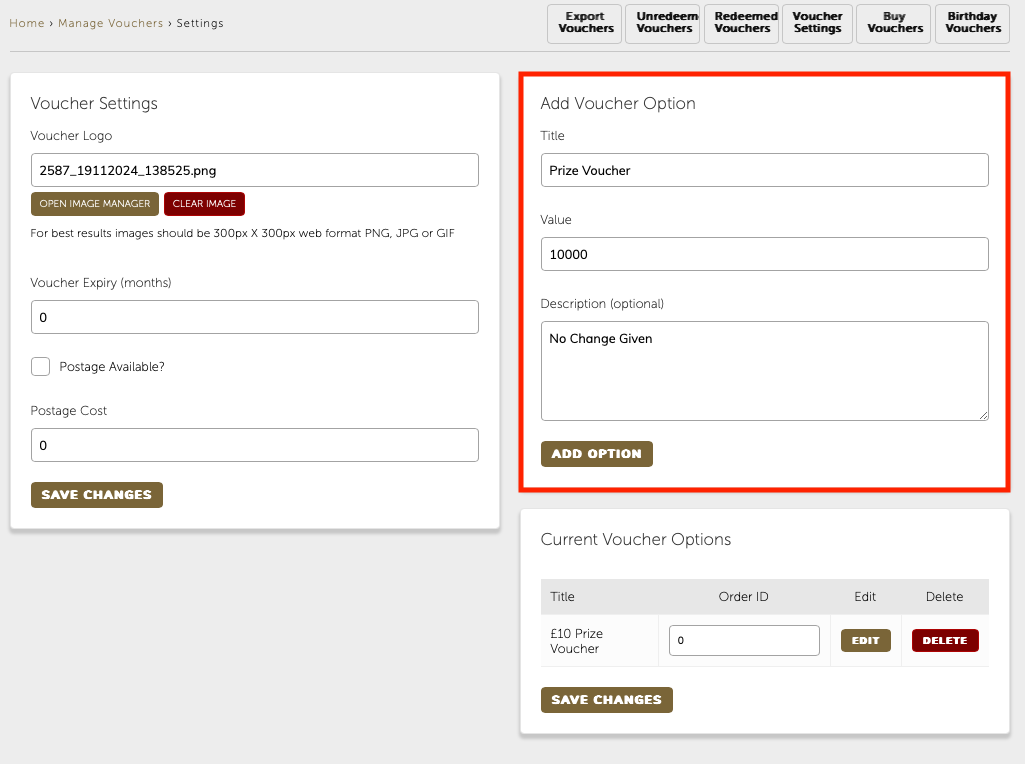
Your new voucher option will appear in the list of CURRENT VOUCHER OPTIONS. Click the edit button next your new voucher

I would then put a tick in the Buy by link only box and put a value in the Max available box (I’ve put 1 in this instance) You can also add a custom image for the voucher here too.
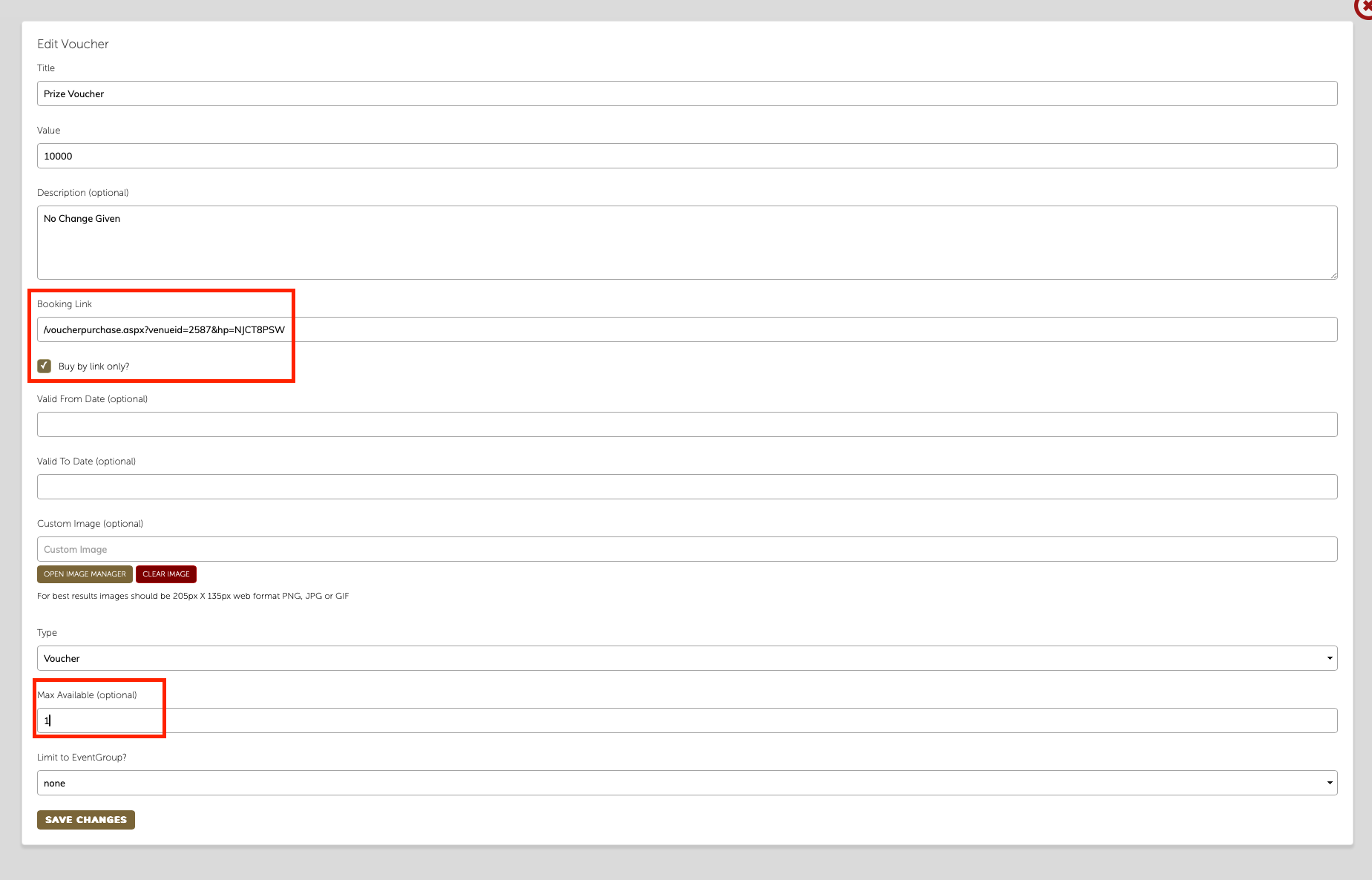
You can then type togo.uk.com in the browser address bar and add the voucher booking link e.g. /voucherpurchase.aspx?venueid=2587&hp=NJCT8PSW to create a link that looks like this
Togo.uk.com/voucherpurchase.aspx?venueid=2587&hp=NJCT8PSW
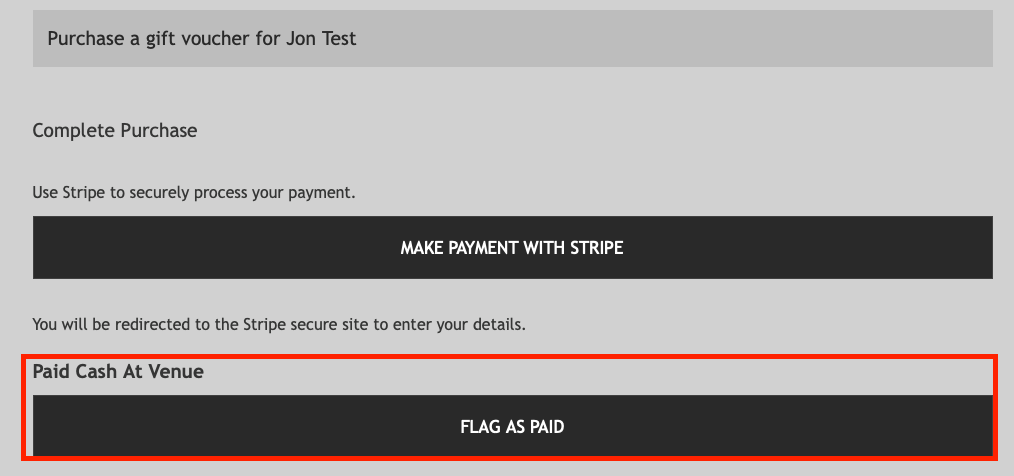
From there you can fill in the details of who won the voucher, select the quantity of vouchers required as one and then when you get to the payment page you can click the FLAG AS PAID button. This will then send them the voucher to the email address you’ve put in.
Then treat it as a normal voucher when they come in to use it